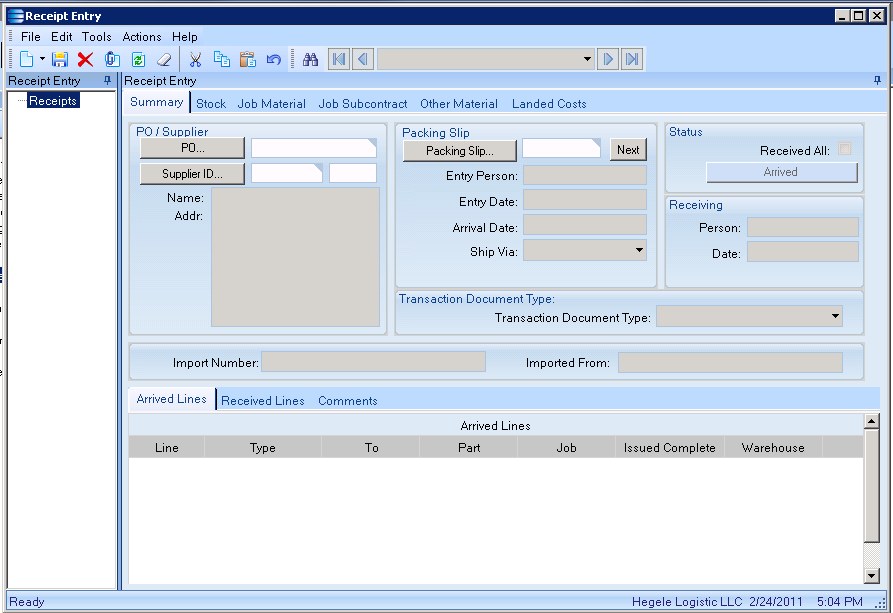
Many of our clients have asked why doesn’t Epicor generate the packing automatically on Receipt Entry. The short answer is that most companies enter the packing slip number from the vendor, but in some cases there is no packing slip number. To handle this we developed a simple customization to auto generate the pack slip number.
Here are the steps:
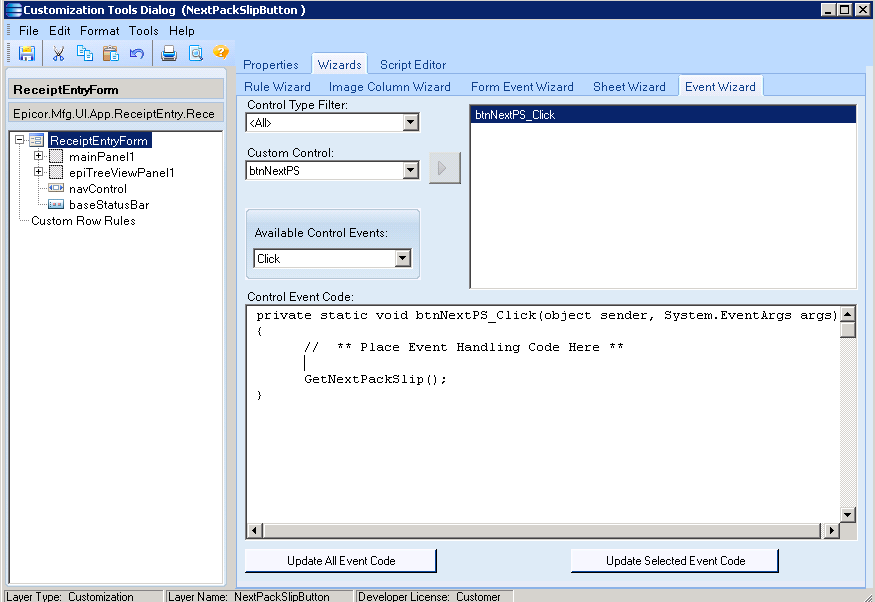
Go to the event wizard tab and create a button click event and add a call to GetNextPackSlip() from the button click event.
private static void GetNextPackSlip()
{
 Epicor.Mfg.Core.Session session = (Epicor.Mfg.Core.Session)ReceiptEntryForm.Session;
 Epicor.Mfg.BO.Company company = new Epicor.Mfg.BO.Company(session.ConnectionPool);
 Epicor.Mfg.BO.CompanyDataSet dsCompany = new Epicor.Mfg.BO.CompanyDataSet();

 //Change EPIC03 to your company ID. You can also ge the current company from the session object.
 dsCompany = company.GetByID("EPIC03");

 //We are storying the current pack slip number in Number01 field in the company table
 decimal number = dsCompany.Company[0].Number01;

 //Make sure we have data loaded into the Receive Header data view.
 if(edvRcvHead.dataView.Count > 0) {
  edvRcvHead.dataView[0]["PackSlip"] = "PACK" + number;
  MultiKeySearch_Row.dataView[0]["PackSlip"] = "PACK" + number;

  //Increment the stored number
  dsCompany.Company[0].Number01 = number + 1;

  //Update the company table.
  company.Update(dsCompany);
 } else {
  MessageBox.Show("Please create a new receipt first.");
 }
}
One thing to note about this customization, the pack slip number is incremented every time a user pushes the Next Pack button so you may have gaps in the number sequence.
Suggested
Entering Records individually into CSI will ensure that the required data is filled out for…
For decades, Infor VISUAL ERP has been the backbone of countless manufacturers. Its strength lies…
Infor CSI (Syteline) - Features & Options With the creation of Infor Configure Price Quote…
Infor CloudSuite Industrial (CSI) provides powerful reporting capabilities, often leveraging Dataviews for easy extraction of…
In today’s fast-paced manufacturing environment, efficiency, accuracy, and scalability are critical for business success. Infor…
Platform: HubSpot Where It Shines: Email marketing - easy to use email lists, automation, and…